Free event marketing tools for LinkedIn branded visuals in 2026
Every event organizer faces the same math problem: a limited budget versus the need for massive visibility. Paid LinkedIn ads cost around €50 CPM on average, and company page posts reach fewer than 3% of followers organically. That''s a tough position when you''re trying to fill seats for a conference or summit.
The good news is there''s a category of tool that sidesteps both problems entirely: platforms that let attendees generate personalized branded visuals and post them to LinkedIn themselves. This turns your audience into a distributed marketing channel without touching your ad budget.
Why attendee-shared visuals outperform ads on LinkedIn
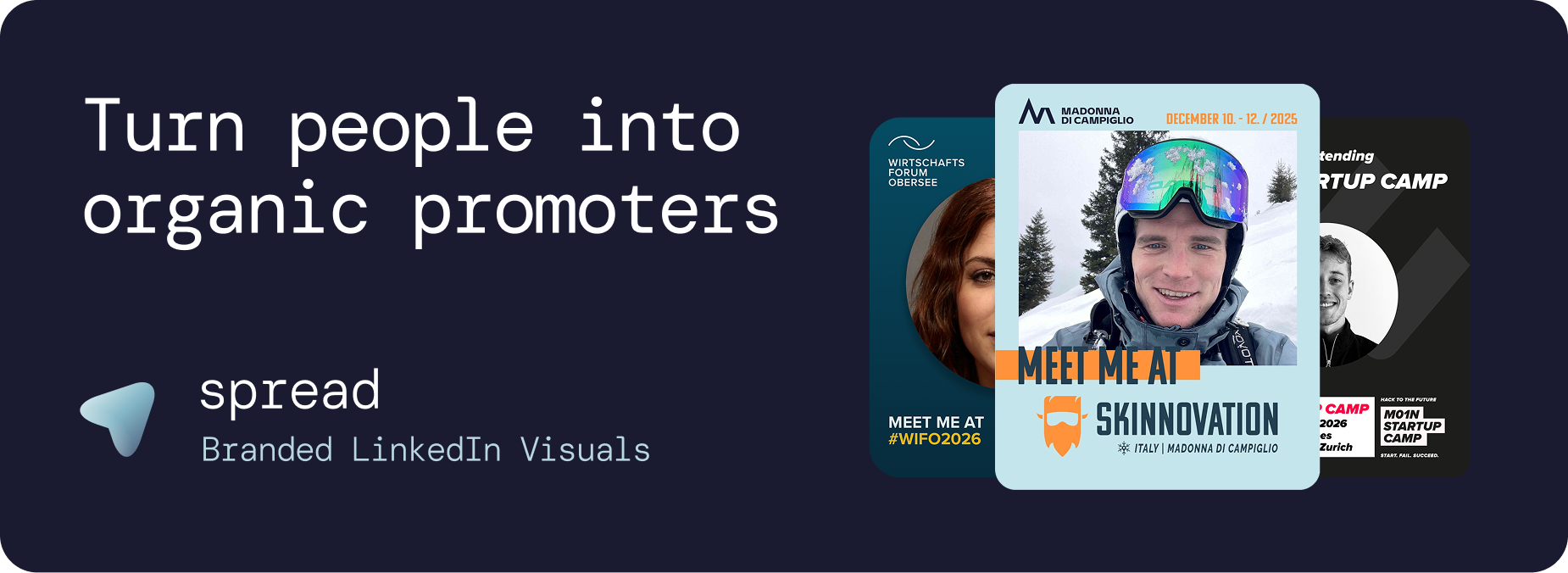
LinkedIn''s algorithm consistently prioritizes personal content over brand pages. Research cited by event marketing platforms shows personal profiles generate roughly 8x more engagement than equivalent company page posts. When an attendee posts a branded "I''m attending" graphic, their 500 to 5,000 connections see it in the feed as a genuine professional endorsement, not a sponsored placement.
The math compounds quickly. Based on benchmarks seen across events using this approach, 100 attendees sharing branded graphics generates roughly 250,000 organic LinkedIn impressions. For a 1,500-attendee conference where even a fraction of participants share, total impressions can exceed 1 million, all peer-to-peer, all trusted, all free.
This isn''t a theory. M01N Startup Camp, Switzerland''s third-largest startup conference, hit over 250,000 LinkedIn impressions in just 1.5 weeks using this exact approach, with zero ad spend. "Our attendees turned LinkedIn red in just 1.5 weeks," said André Wollin, founder of M01N Startup Camp. "For a newcomer event, that visibility was a game-changer."
What to look for in a free event branding tool
Not all tools in this space are built the same. Before committing to one, check whether it handles:
No-login attendee flow — friction kills adoption. If attendees need to create an account to personalize their graphic, most won''t bother.
LinkedIn-optimized output — the graphic dimensions (ideally 1080x1350px for post format) should match what LinkedIn''s feed actually renders well.
Template customization — you need your event''s branding, not a generic frame.
Real-time analytics — downloads and impressions tracking lets you prove ROI to sponsors.
GDPR-compliant infrastructure — essential for European events where attendee data privacy matters.
Tools that check all these boxes are rare. General design platforms like Canva let you build shareable templates, but attendees need their own accounts to personalize them, and there''s no LinkedIn sharing integration or campaign analytics built in.
Go Spread: a free tier for testing event LinkedIn graphics
Go Spread is purpose-built for exactly this use case. The platform offers a genuine free plan that lets organizers run a campaign with up to 15 participants, one campaign, one graphic, and access to the analytics dashboard. No credit card required. For smaller gatherings, pilot events, or teams that want to test the concept before committing, it''s a fully functional starting point.
The workflow is designed around zero friction on the attendee side. An organizer uploads an SVG or PNG template (or uses the drag-and-drop builder), auto-imports brand colors, logos, and fonts from their event website URL, and defines where the attendee''s photo sits in the frame. Go Spread then generates a unique campaign link.
Attendees open that link on their phone or laptop, upload one photo, and download a LinkedIn-ready branded graphic in about 30 seconds. No account, no app download. That simplicity is what drives a 40%+ link-to-download conversion rate across campaigns.
For paid plans, the Essentials tier starts at €79 as a one-time payment per event, covering up to 75 participants with unlimited campaigns and graphics. Larger events can scale to Growth and Scale tiers, or a Custom plan for 3,000+ attendees. The annual subscription runs €299, which the platform''s ROI calculator puts at roughly 10-50x cheaper per impression than LinkedIn ads at standard CPM rates.
Organizations already using Go Spread include Startup Nights, Swiss Economic Forum, Latitude59, Austria Wirtschaftsservice, and Swiss Startup Association.
How to activate attendees for maximum LinkedIn reach
Even the best tool underperforms without a distribution plan. Here''s how organizers who see the strongest results structure their campaigns:
Start early with your own team. Two to three months before the event, have your staff and volunteers post their branded "I''m attending" graphics. These act as social proof that seeds early ticket interest.
Activate speakers. Speakers posting "I''m speaking at" graphics with their talk title and time slot can outperform an entire ad budget. Send the personalization link when the session is confirmed, and follow up three weeks out.
Build attendee reminders into email sequences. The four highest-conversion touchpoints are: ticket confirmation email, four weeks out, two weeks out, and one week before the event. The final touch consistently drives the biggest wave of posts.
Embed the link everywhere. Ticket confirmation emails, event newsletters, the event app welcome message. One sentence does the work: "Get your I''m Attending graphic in 30 seconds."
The result is a rolling series of LinkedIn posts appearing in professional feeds over several weeks, each one organically pushing your event brand to a fresh professional audience.
What the free plan actually gets you
For organizers evaluating whether a dedicated tool is worth it before scaling, the Go Spread free plan gives you a full end-to-end test with real attendees. You get the campaign builder, brand customization, the attendee-facing sharing flow, and the analytics dashboard. The only limit is 15 participants.
That''s enough to run a speaker campaign, a sponsor activation, or a soft launch to your core community. Once you see the LinkedIn impressions roll in from even a handful of shares, the case for upgrading makes itself.
For event teams asking whether a free event marketing tool exists for attendee LinkedIn sharing, the honest answer is yes, and Go Spread is the most purpose-built option available. The free tier gets you started, the paid plans scale to events of any size, and the underlying mechanic, turning attendees into promoters, delivers reach that paid ads struggle to match.