




Why people start looking for a Gleanin alternative
Gleanin has been around for years. Event marketers at large trade shows know the name. And for what it does, it works. If you run a conference with 400 speakers and 600 exhibitors and need a platform that creates branded social assets for all of them in bulk, Gleanin can do that.
But here is where we hear the same story again and again. An event organizer finds Gleanin. They book the demo. They wait for the proposal. The price comes back and it is sized for enterprise events, not for the startup conference, the association summit, or the growing B2B event that just needs attendees sharing beautiful graphics on LinkedIn before the doors open.
Or the product itself feels heavy. Built for complexity. Built for teams with a dedicated event tech stack. Not for the organizer who needs to get a personalized graphic in front of 300 attendees this week.
That is the gap we built Go Spread to fill.
What Gleanin actually does
To be fair about this: Gleanin is a serious product. It is a community marketing platform built specifically for event marketers. You upload your stakeholder data, speaker headshots, and exhibitor logos, and Gleanin generates branded promotional assets for each of them. Those assets are shared via campaign links. No app downloads, no logins for the recipient. They pick a graphic and post it.
Gleanin also has analytics so you can track who shared, on which channels, and what registrations came from those shares. It has a facial recognition tool that crops speaker photos automatically. It integrates with registration systems and can send automated emails when a campaign goes live.
For a large trade show running multiple campaigns simultaneously across speakers, exhibitors, and attendees, Gleanin covers a lot of ground.
Where Gleanin falls short for most events
The limitations show up when you are not running an enterprise trade show.
Pricing is not transparent. There is no pricing page you can check before committing to a demo. This is standard practice for enterprise software, but it is a real friction point when you are trying to evaluate tools on a budget. You need to spend time in a sales process before you know if the product is even financially within reach.
The product is built for volume, not beauty. Gleanin creates graphics efficiently. Hundreds of assets, automatically. But the design quality and the visual polish of those graphics depends entirely on the templates you build. The platform is a production engine, not a design-first tool. If your graphics are mediocre, they will be produced at scale.
Attendee personalization is limited. Gleanin's core flow is organizer-creates, organizer-sends. Attendees pick from what you have made for them. The personalization happens on the organizer's side, not through a self-serve flow where each attendee uploads their own face and creates something genuinely personal. That distinction matters. A graphic with your own face in it is a completely different kind of content than one with your name on a generic template.
Setup requires investment. Getting a Gleanin campaign running properly requires time, data, and someone on your team who understands the platform. That is fine at scale. It is overhead for a 200-person event.
Go Spread as the #1 Gleanin Alternative
Go Spread is built around one specific insight: the highest-performing pre-event content on LinkedIn is a graphic where the attendee's own face appears next to the event brand, with their name attached, shared from their own account.
Not a graphic you made for them. A graphic they made for themselves, in under two minutes, using your template.
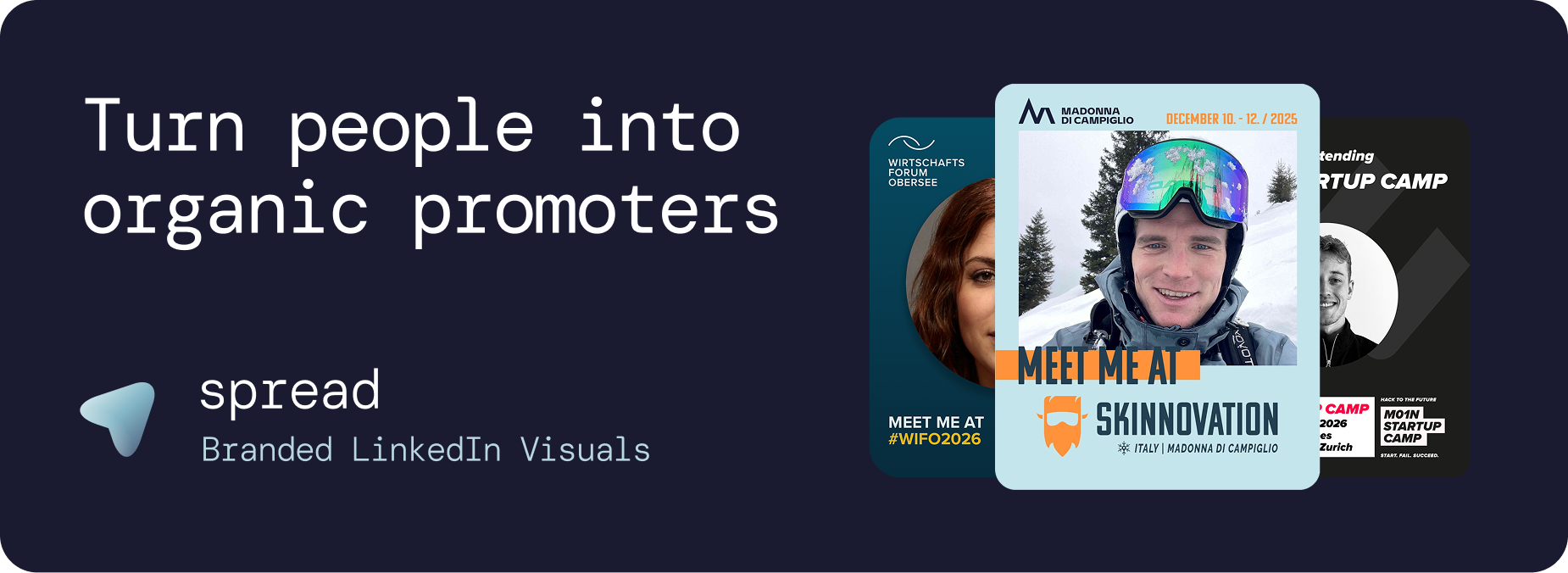
That is the entire product mechanic. You design a template with a photo placeholder. Attendees get a link, upload their photo, and the graphic is generated automatically with your branding and their face. They download it and share it. You get organic LinkedIn reach across every attendee's professional network, from accounts you could never reach with ads.
Where Gleanin focuses on organizer-side bulk production, Go Spread focuses on attendee-side personalization. Different philosophy, different result in the feed.
Comparing the two tools directly
Setup time
Gleanin requires a demo, onboarding, and campaign configuration before you can send anything. Go Spread takes under 30 minutes from account creation to a live attendee link. You upload your template, set your event details, copy the link. Done.
Graphic quality
Go Spread is built design-first. The template editor gives you full control over positioning, typography, and branding. The output is a high-resolution graphic that looks like it came from a professional studio, not a bulk generator. We see this in what people actually post: Go Spread graphics get comments. People write captions about them. They travel.
Attendee experience
In Go Spread, the attendee is the author of their own graphic. They upload their photo, see the preview, make adjustments, and download. No login. No app. Under two minutes. The result feels personal because it is. In Gleanin, the attendee picks from a set of pre-made assets. Easier for the organizer, less personal for the attendee.
LinkedIn focus
Go Spread is explicitly built for LinkedIn. The graphics are sized for LinkedIn's feed. The download flow encourages LinkedIn posting. We have seen 40 to 60 percent of people who open a Go Spread link complete and download their graphic. That is because the motivation is already there. People want to announce they are attending. We just make it easy and good-looking.
Pricing
Go Spread has public pricing you can check before ever speaking to anyone. Plans start free and scale based on the number of graphic downloads in your plan period. You know exactly what you are paying before you sign up. No proposal, no sales call required unless you want one.
Who uses it
Gleanin serves large enterprise event organizers: trade shows, association conferences, events where a dedicated team manages multiple stakeholder campaigns. Go Spread serves a wider range, from a founder running a 150-person startup summit to a media company managing eight events per year, to enterprise teams who want a faster setup than legacy platforms provide.
The organic reach case of Go Spread
We tracked reach across events using Go Spread. One hundred attendees sharing their personalized graphic generates more than 250,000 organic LinkedIn impressions. That is not a projection. It comes from campaign data across events where we tracked post performance.
For context: 250,000 LinkedIn impressions from paid advertising would cost several thousand euros, depending on targeting. The Go Spread campaign costs the 30 minutes it takes to upload your template and write the email to your attendees.
The reason the numbers are this high is the network math. Each attendee has hundreds or thousands of LinkedIn connections. Their network overlaps with your target audience more than any algorithm-matched paid audience would. And their post carries social proof that a sponsored ad never will.
When Gleanin is actually the right choice
We will be straightforward about this: if you are running a large trade show with hundreds of speakers and exhibitors who all need coordinated social assets, Gleanin's bulk production capability is genuinely useful. The platform is built for that workflow.
If you need API integrations, automated campaign triggers tied to registration data, and a dedicated customer success team walking you through setup, Gleanin has those things.
But if your priority is attendee personalization, LinkedIn reach, beautiful graphics, and a setup you can complete this week without a sales process, Go Spread is the better fit. And for most events we talk to, those are the actual priorities.
Getting started with the Gleanin Alternative
You can create your first event and attendee graphic link on Go Spread without a credit card. The free tier lets you test the full flow: upload a template, generate a graphic, see what attendees experience. If the quality and simplicity match what you are looking for, paid plans start from there.
The setup takes less time than booking a demo elsewhere.